Personal project2 min read
Slaive - Local voice input for macOS
Tech stack
Services
- →macOS menu-bar app architecture and development
- →Local whisper.cpp transcription with Metal acceleration
- →Focus-preserving paste-back into the active app
- →Optional OpenAI actions: translate, fix, summarize
Deliverables
- ✓Native macOS menu-bar app (Tauri 2, Rust)
- ✓On-device speech-to-text, nothing spoken leaves the machine
- ✓Paste-back to the originating app and cursor
- ✓Vim-editable transcript with a jargon dictionary
Challenge
Dictation on a Mac is either accurate or private, rarely both. The built-in dictation sends audio to Apple, third-party tools send it somewhere else, and anything genuinely local is usually a command-line toy you babysit: record a file, run a binary, copy the output, paste it yourself. And when it does work, the text arrives in the wrong place, so you move it by hand into the window you actually meant.
Options Considered
- Apple's built-in dictation - accurate enough, but audio leaves the machine.
- A third-party cloud dictation app - convenient, but private speech goes to someone else's servers.
- A local app that pastes back - chosen. Run transcription on-device and return the text to the exact app and cursor it came from.
Decision
Speech is transcribed by whisper.cpp on your own machine, accelerated by Metal, and the result is pasted straight back into the application you were in when you pressed the hotkey. The panel never steals focus while you speak, so the app underneath stays frontmost; paste restores focus to it and sends the keystroke. The only network traffic is downloading a model once, and the optional AI actions if you turn them on.
Implementation
A macOS menu-bar app built on Tauri 2 with a Rust core. whisper.cpp does the transcription locally; Silero VAD trims silence first so the model stops inventing words in the pauses. A live level track draws the raw microphone input, which also tells a dead microphone from a quiet room. The transcript sits in a real editor with Vim bindings, holding the hotkey again appends new speech to your hand edits, and a jargon dictionary is passed to whisper as a prompt so terms like Kubernetes come back spelled right. Optional AI actions - translate, ask, fix, shorten, summarize - run in a separate window with accept or cancel before anything replaces the text.
Translating in place
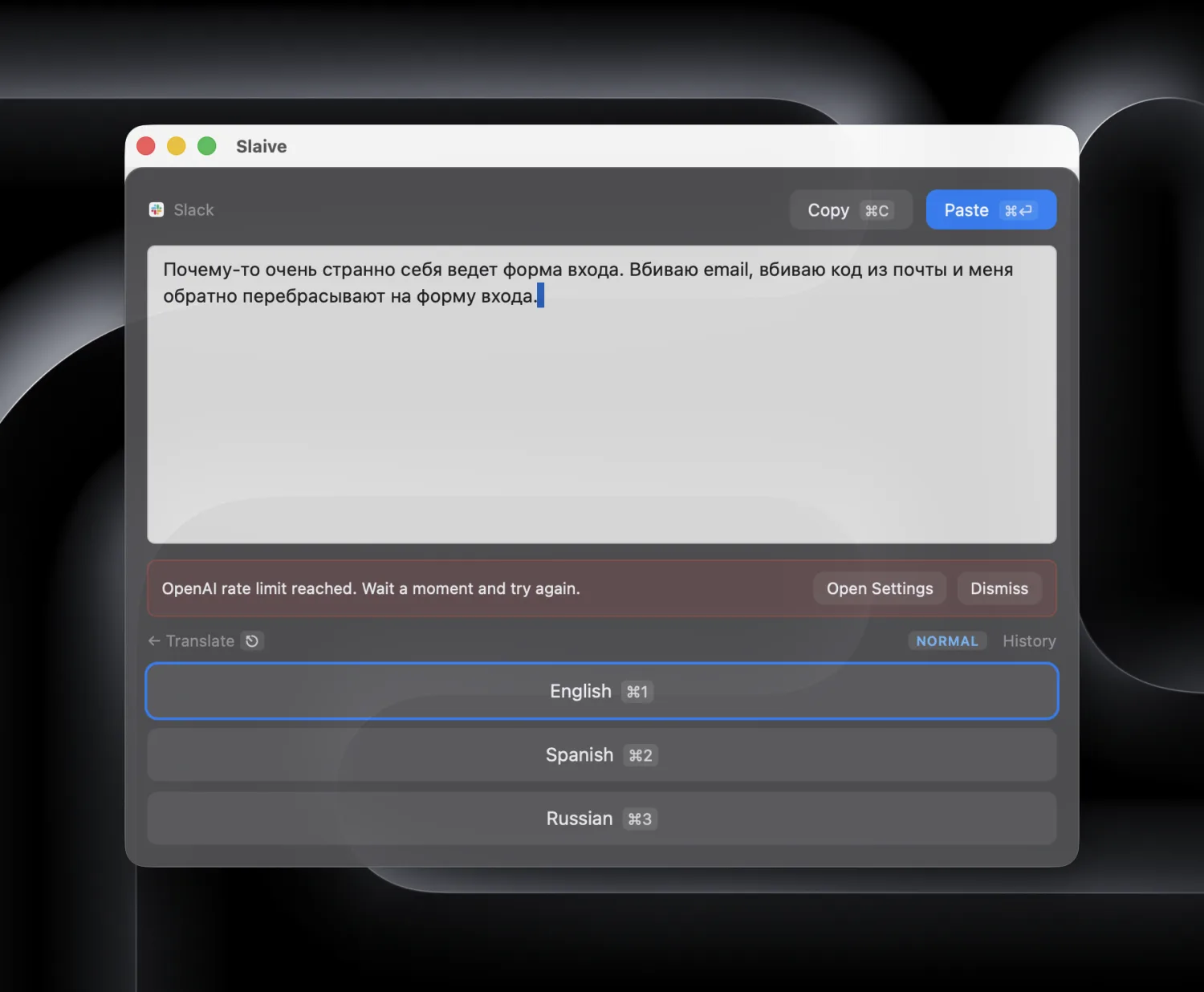
The earlier screenshots show the translate action: grab text from the app you are in, pick a target language, and paste the translation back.
Voice dictation
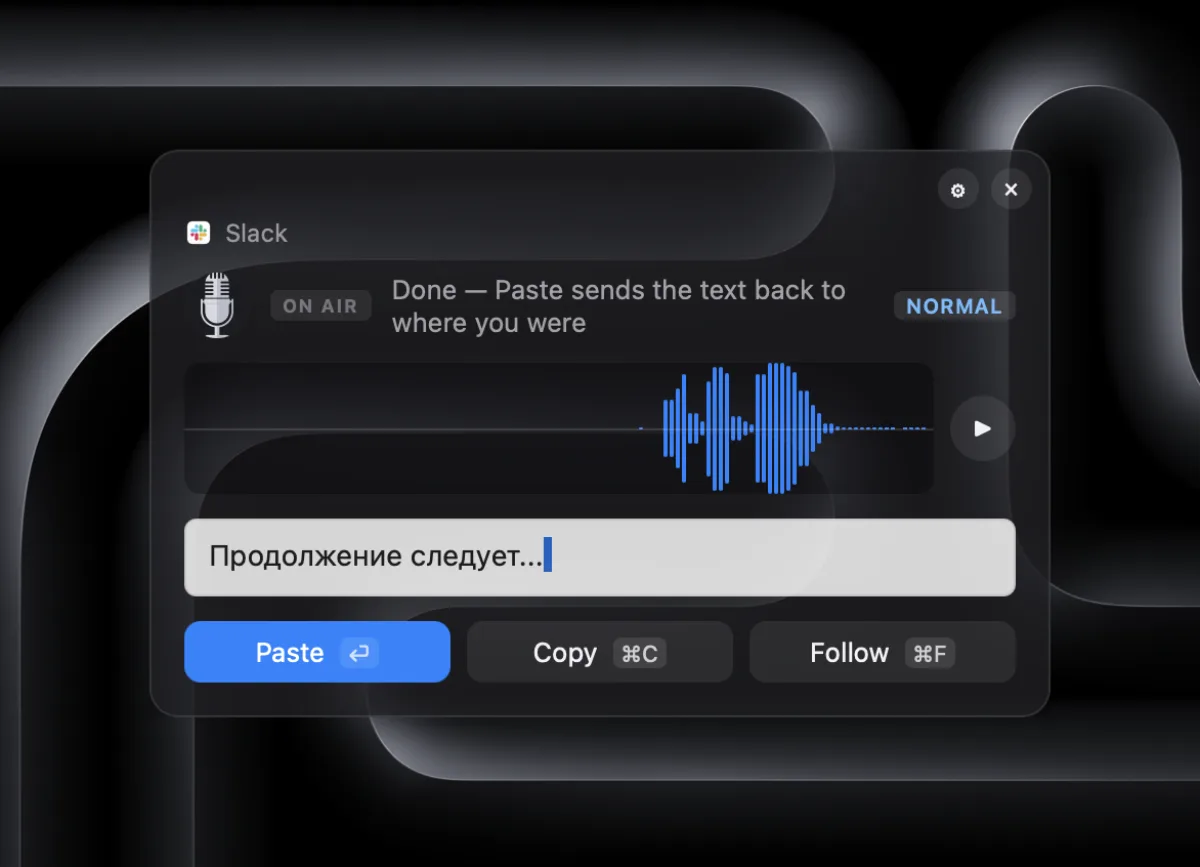
Hold the hotkey, speak, release, and the transcript is ready to paste back where you were.
Outcome
Dictation that is accurate and private at once, and that lands where you are working. It is for Mac users who refuse to choose between the two, and especially for developers: Vim editing, a jargon dictionary seeded with backend, frontend and cloud terms, and nothing spoken ever leaving the machine.
Related
Projects
Glosst - Read in the original, translate on hover
Before: a normal translator swaps the whole text for another language, so you read a translation instead of the original and learn nothing. After: a Chrome extension that, when the cursor rests on a hard sentence, shows a translation close to the original plus a note on what is easy to misread, without changing the page.
Traffic Connect, AI Content Orchestration for WordPress Sites
Before: AI article generation had to be run across many WordPress sites, with no single place to control it. After: one admin dashboard queues tasks for every site, and each site picks up its own work through a plugin, built from scratch in about a month.

PREZA, School Presentation Sites with 80,000+ Generated PDFs
Before: school presentation sites needed tens of thousands of ready files that nobody could produce by hand. After: grabbers, parsers and automated multi-threaded generation produced more than 80,000 PDFs, stored in Selectel cold S3 and published on preza.kz and preza.top.
Open for contract collaboration
I am available for contract-based collaboration. If you have an interesting project idea, schedule a call via Calendly.
Schedule a 30-min call