← Back to blog
How to Move Changes to Another Branch in Visual Studio TFS (tfpt unshelve)
- Published on
- • 1 mins read•--- views
Case: during the development process, teamleader said to move all your developed code to another branch from your current. Handy copy-paste is a bad solution. How to solve that problem?
Solution:
Use Microsoft Visual Studio Team Foundation Server 2015 Power Tools from here!
Environment:
You have not checked changes in, for example, branch 3.41. You have to move them to branch dev:
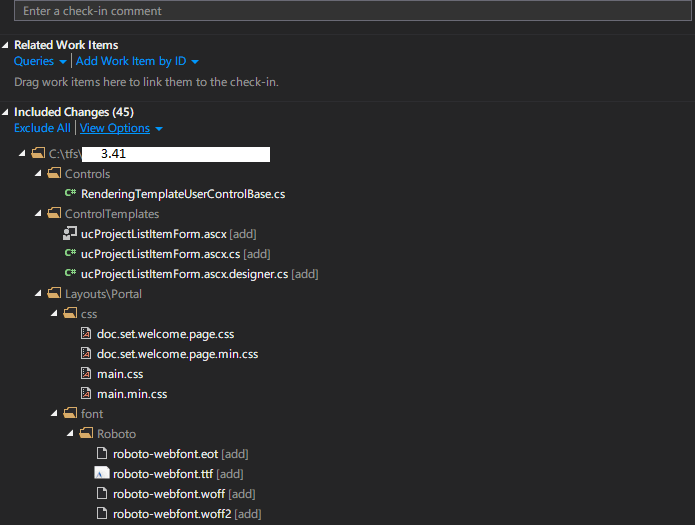
Not real case, but clearly illustrates situation :)
Steps:
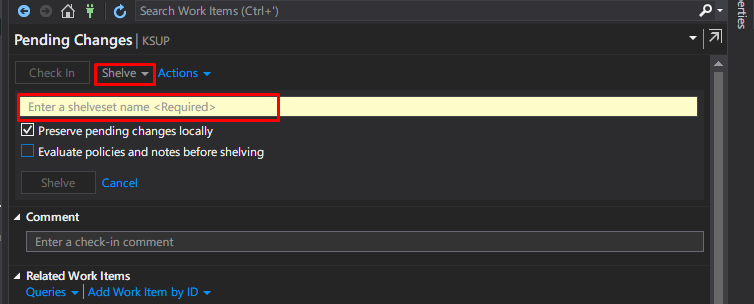
- Shelve all you changes, give a name for shelveset:
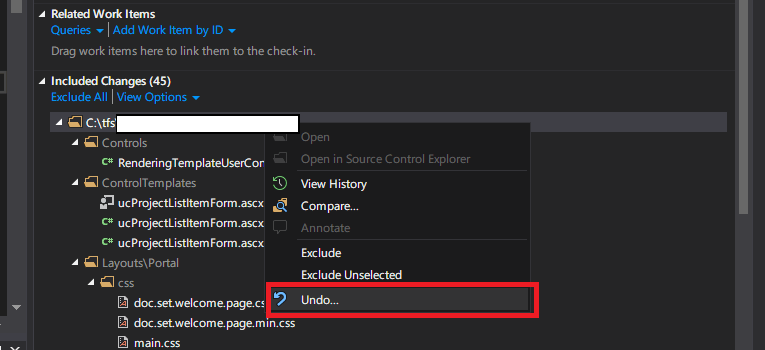
- Undo all pending changes (don't worry to lost them, they are in a shelveset now).
- Go to your tfs-workspace folder and open cmd there. Type a command:
tfpt unshelve /migrate /source:$/Project/vsn/3.41 /target:$/Project/vsn/dev
Where source - from where to move changes, target - where to move them. In my case: 3.41 => dev
- After that, resolve merge in wizard and you're done! All changes now in a target branch. In pending changes you can see them as unchecked, but branch is target now
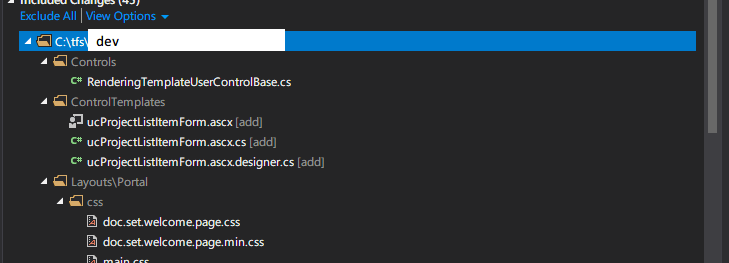
Table of Contents
Open for contract collaboration
I am available for contract-based collaboration. If you have an interesting project idea, schedule a call via Calendly.
Schedule a 30-min call