Client project
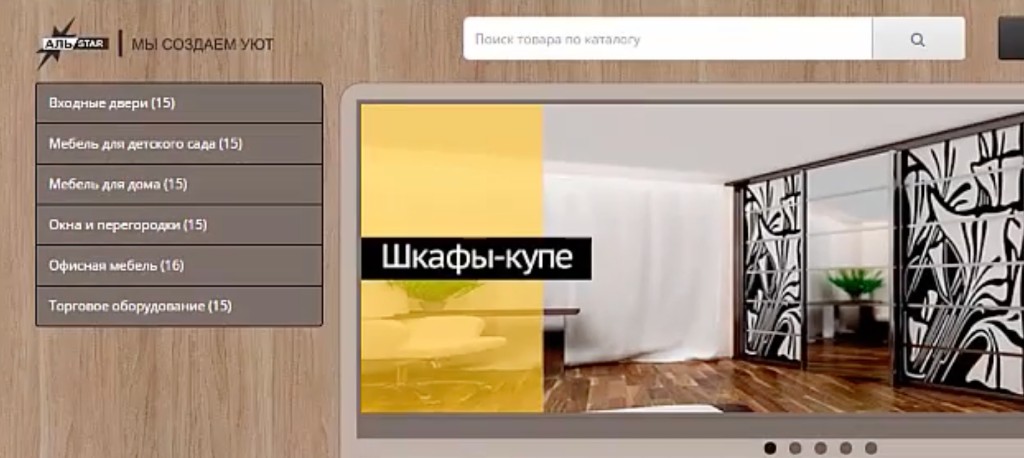
Al-Star, Furniture & Interior Online Store
Tech stack
OpenCartPHPMySQLE-commerce
Services
- →OpenCart store setup and configuration
- →Theme customisation matching brand identity
- →Product catalog structure, 6 categories, 90+ SKUs
- →Admin onboarding, screen-recorded video guide
- →Search, cart, and order management configuration
Deliverables
- ✓Production-ready OpenCart store with full catalog
- ✓Branded theme: "Al-Star / We Create Comfort" identity
- ✓Admin video guide, staff operate the store independently
- ✓Searchable product database with photos and pricing
- ✓Order management workflow for showroom staff
Client Journey
Buyer
- Discovery. A customer searches for wardrobes, office furniture, or windows online. The store appears in local results, branded with the "Al-Star / We Create Comfort" identity they already recognise from signage.
- Category navigation. Six clearly named sections, entrance doors, kindergarten furniture, home furniture, windows & partitions, office furniture, commercial equipment, let visitors drill straight to the relevant range without guessing.
- Product research. Each listing shows images, a description, and pricing. The header search bar lets returning visitors jump directly to a product name without browsing.
- Purchase or inquiry. The buyer adds items to the cart or contacts the showroom directly. Order history and status are tracked inside the OpenCart account.
- Post-sale confidence. The brand consistency between the physical store and the website, same logo, same slogan, reinforces trust and encourages repeat visits.
Store Administrator
- Onboarding in minutes. A dedicated video guide (linked below) walks staff through every admin task: adding products, editing categories, managing orders, with no developer required.
- Catalog management. Products are added via a familiar form: title, description, price, photos, category. Changes go live instantly.
- Order processing. Incoming orders appear in the admin panel with customer details and status controls. Staff mark orders as processed, packed, or delivered without leaving the backend.
- Content updates. Banners, promotions, and homepage sliders can be updated without touching code, OpenCart's CMS handles it all through point-and-click.
Before & After
| Before | After |
|---|---|
| ✗ Zero online presence, with no way to reach customers searching for furniture on the web | ✓ Discoverable in local search across all 6 product categories |
| ✗ Orders taken by phone only, missed inquiries outside business hours | ✓ Catalog available 24/7; visitors can browse and place orders independently |
| ✗ No product catalog, customers had to visit the showroom to see what was available | ✓ Full searchable catalog with photos, descriptions, and pricing online |
| ✗ Every content update required developer involvement | ✓ Staff update products, prices, and banners through the admin panel, with no dev needed |
| ✗ No structured order tracking, all coordination happened through phone and notes | ✓ Order management with status workflow inside the OpenCart backend |
Metrics
6
product categories live at launch
15+
SKUs per category on average
1 video
admin guide, staff onboarded without developer
0
developer calls needed to update catalog or process orders
24/7
catalog available online vs. showroom hours before
OpenCart
battle-tested platform, with no custom backend to maintain
The Website
The shop as it ran, captured from an archived snapshot.
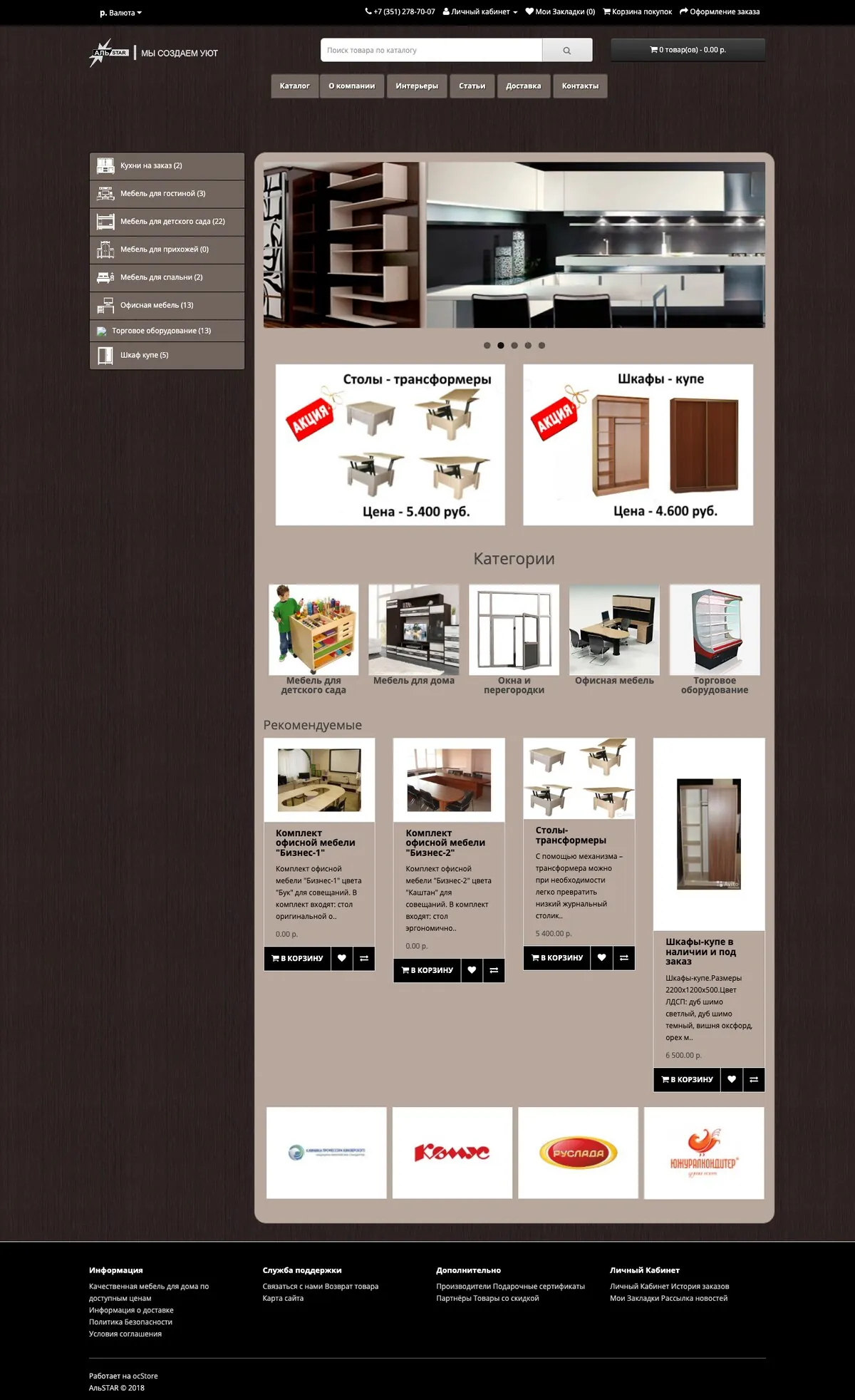
Furniture shop, archived snapshot - scrollable browser preview
Admin Guide
A screen-recorded walkthrough covering the full admin workflow, adding products, managing categories, processing orders, and updating banners, so the store operates independently from day one.
Second part of the same walkthrough.
Open for contract collaboration
I am available for contract-based collaboration. If you have an interesting project idea, schedule a call via Calendly.
Schedule a 30-min call